
Argos
See every query your agent runs, with its full result, and keep it read-only where it counts.
Argos Panoptes (Ἄργος Πανόπτης) is a hundred-eyed figure from Greek mythology. Panoptes means 'all-seeing'.
- TypeScript
- MCP
- Claude Code
- PostgreSQL
- MySQL
- SQLite
- MSSQL
GitHub (opens in a new tab)README (opens in a new tab)Changelog (opens in a new tab)
On this pageWhat it does
What it does
Argos connects Claude Code, or any other MCP client, to PostgreSQL, MySQL/MariaDB, SQLite and SQL Server. Queries pass through validation before reaching the database driver: SELECT-only restrictions, bound parameters, rejection of stacked statements and complexity limits. Each query produces exactly one audit record with the database, statement hash, duration and outcome. Query values are excluded from the record.

In Claude Code, /argos opens a pane beside your session. It shows your connections and their schemas, every query Claude runs with its full result rather than the short table Claude receives, and an editor for your own queries. Anything you run from the pane is read-only, whatever the connection allows Claude.
You can configure multiple databases at once: behind SSH tunnels with a pinned host key fingerprint, with field redaction so sensitive columns (emails, phone numbers, SSNs) never reach the model or the pane, and with a one-way lock (mcp_configurable) that shuts a database off from further changes through MCP once its settings are where you want them.
Quick start
Argos is not yet published to npm, so install it from source. It needs Node.js 22 or newer and the Claude Code CLI, and nothing else. Only an Azure SQL connection using authentication=azure-cli additionally needs the Azure CLI on your PATH and a completed az login.
git clone https://github.com/AraneaDev/argos.git
cd argos
npm install
npm run build
npm run setup
claude mcp add argos --scope user -- \
  node "$(pwd)/dist/cli.js" serve --config "$HOME/.config/argos/config.ini"
node dist/cli.js install-plugin --config "$HOME/.config/argos/config.ini" --execute
npm run setup runs an interactive wizard for database connections, security settings and SSH tunnels, and writes them to config.ini. install-plugin installs the Claude Code pane against the same config.ini; leave out --execute to see what it would do first. Start a new Claude Code session and type /argos.
The pane
/argos opens on four tabs: Queries, Schema, Editor and Connections.
Queries lists every query Claude or you ran, newest first and kept across sessions, with the selected one's SQL and its full result. From there you rerun a query read-only, pin it, copy its result as markdown, CSV or JSON, or put one of your own results into your next message to Claude.
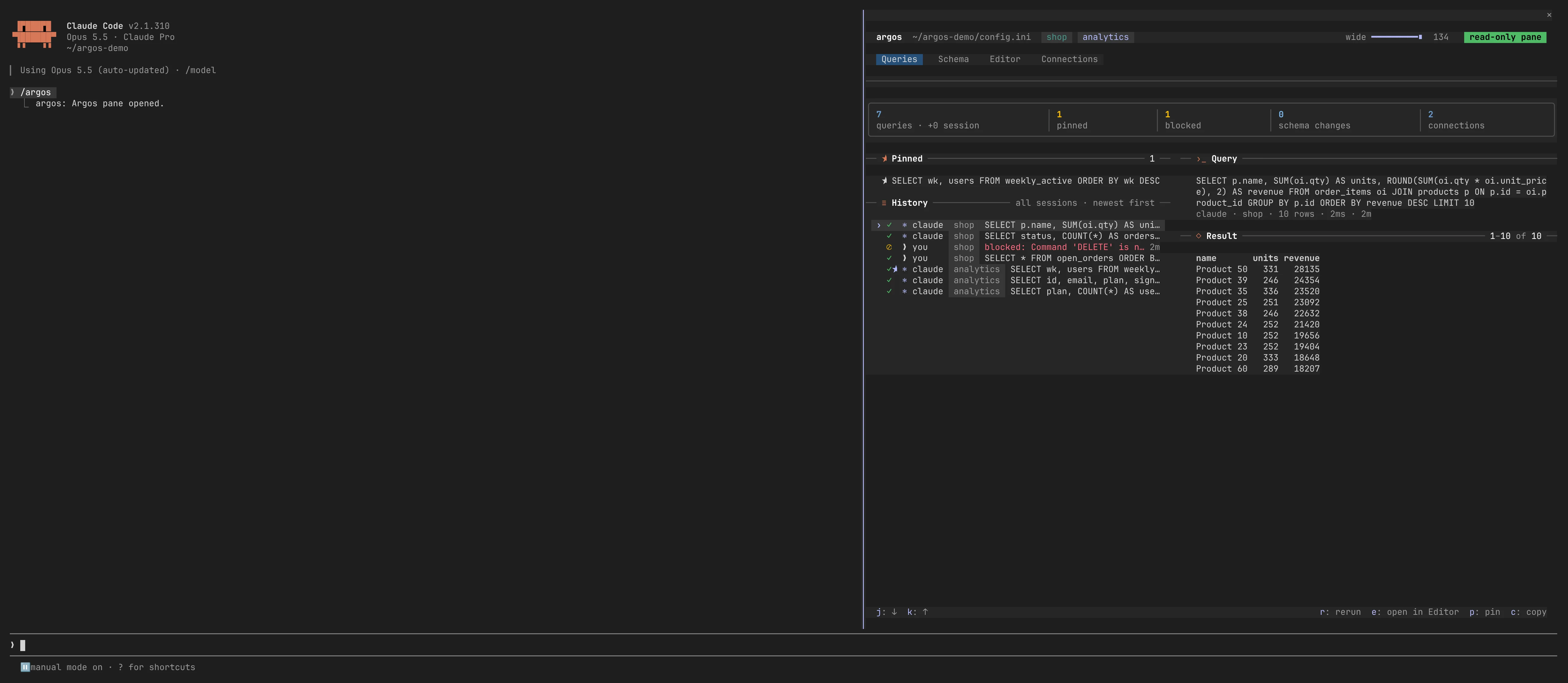
Schema shows each connection's tables and views, the open table's columns with their primary and foreign keys, and its relations in and out.
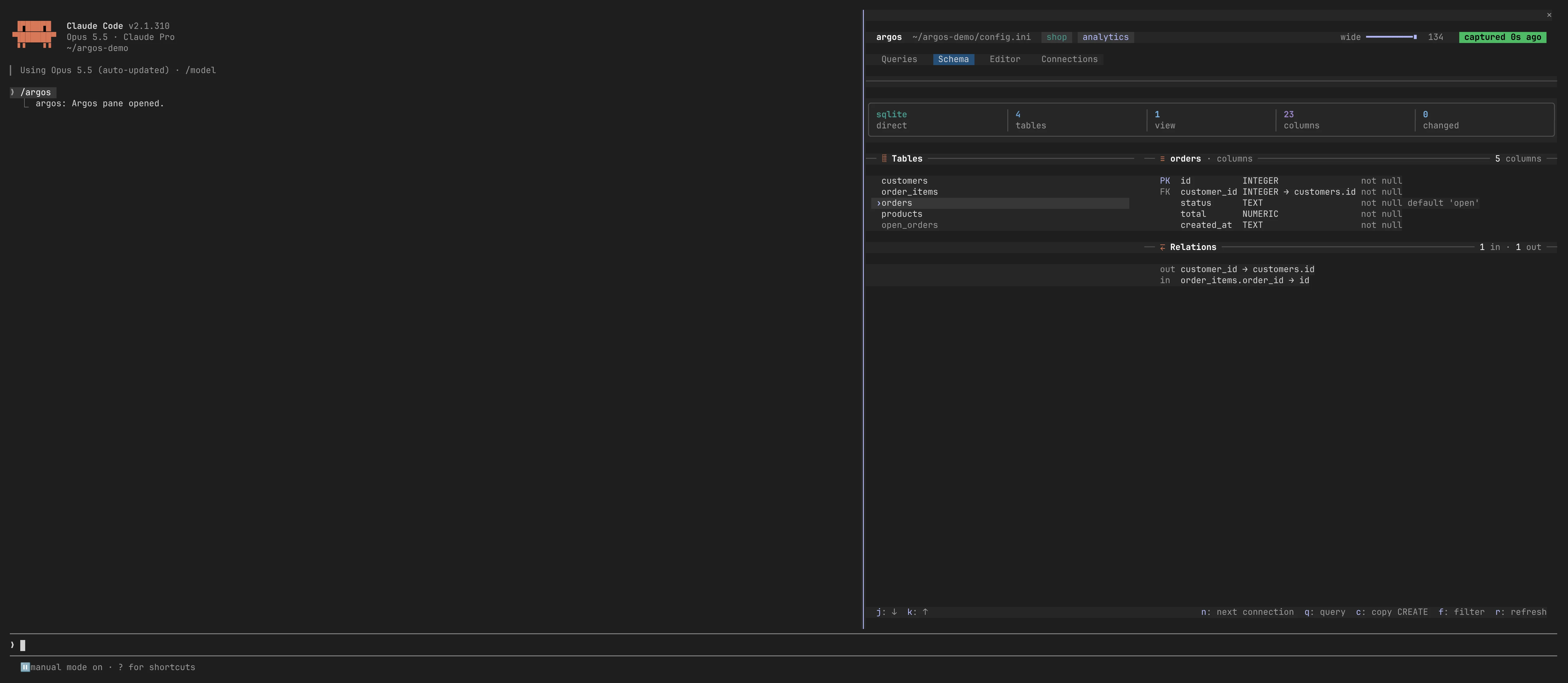
The Editor runs your own SQL against any connection. A write is refused with the reason, even on a connection that allows Claude to write: the pane's connections open read-only at the database where the engine supports it (SQLite read-only mode, a read-only PostgreSQL or MySQL session), behind the same SELECT-only check the server uses.
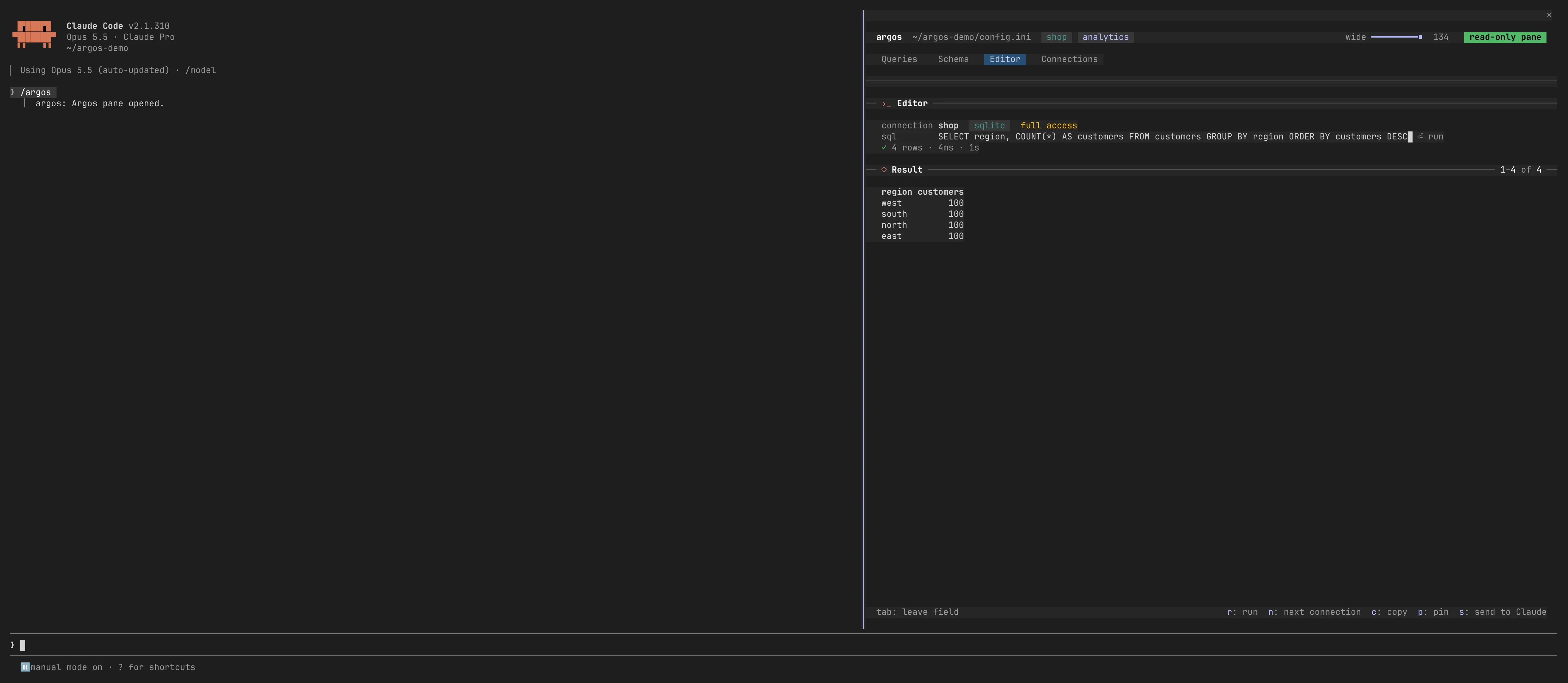
Connections shows each database with its engine, host, tunnel, access and how long ago its schema was captured.
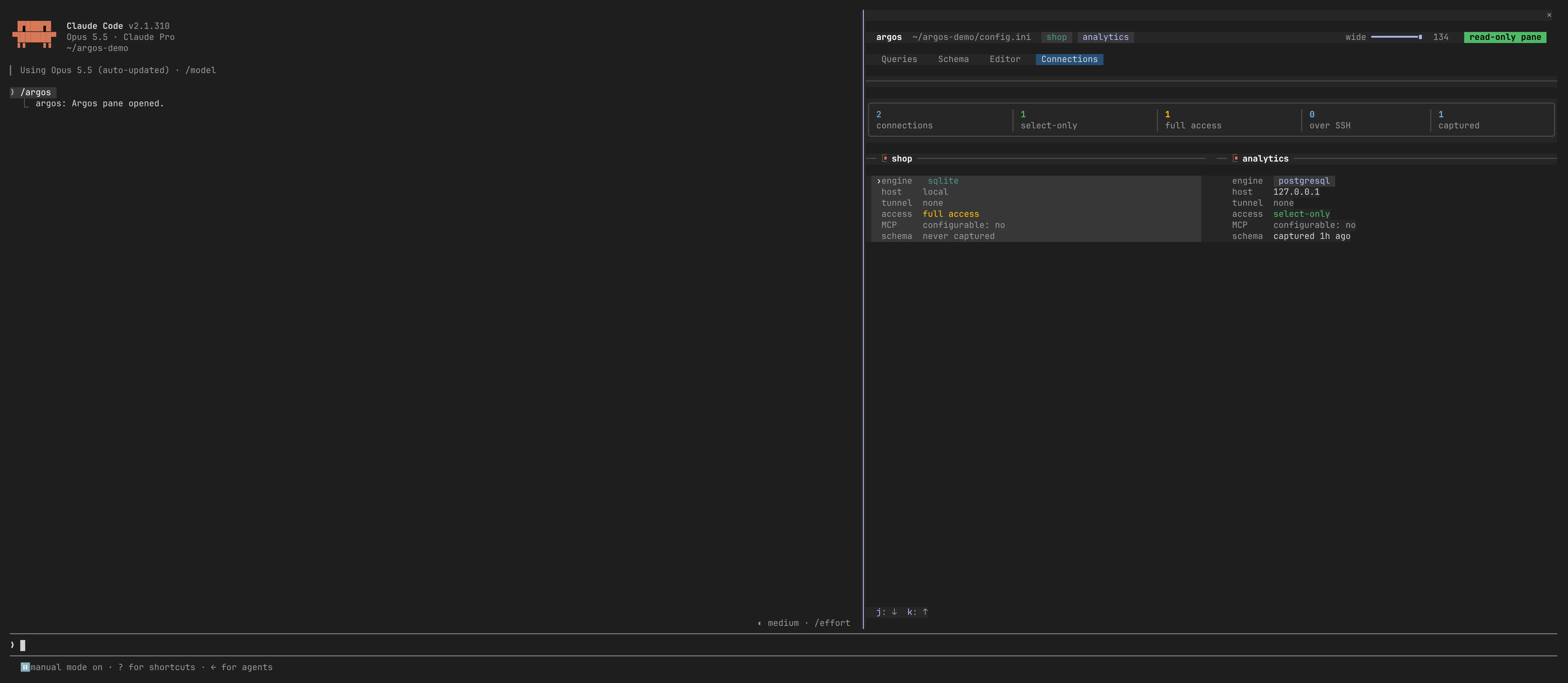
When a connection's schema changed since Argos last looked, the next query Claude runs says so in one line, so Claude doesn't work from an old picture of the tables. That line is the only thing the pane's machinery tells Claude; what you do in the pane stays with you.
Examples
An sql_query call, run for real against a local SQLite database:
Call:
{
  "database": "demo",
  "query": "SELECT id, name, email FROM users ORDER BY id"
}
Result:
 Query executed successfully on demo
 SELECT-only mode active
 Results: 3 rows

| id | name | email |
|---|---|---|
| 1 | Ada Lovelace | ada@example.com |
| 2 | Alan Turing | alan@example.com |
| 3 | Grace Hopper | grace@example.com |
Capabilities
| Category | What it provides |
|---|---|
| Pane | Queries with full results, pins, reruns and copy; Schema with keys and relations; a read-only Editor; Connections |
| Security | SELECT-only mode, query validation against SQL injection, complexity limits, SSH tunneling with pinned host keys, field redaction |
| Databases | PostgreSQL, MySQL/MariaDB, SQLite, SQL Server including Azure SQL, each with its own adapter |
| Management | sql_add_database, sql_update_database, sql_remove_database, sql_get_config (passwords always redacted), sql_set_mcp_configurable |
| Performance | Connection pooling, schema caching with a cheap change check, sql_analyze_performance with dialect-specific advice, sql_get_metrics (min/max/avg/p95) |
| CLI | argos serve, argos setup, argos install-plugin, and JSON commands for connections, schemas, read-only queries and history |
Databases added at runtime through sql_add_database are always select_only: true; granting write access requires editing config.ini by hand, so write access cannot be enabled through MCP.
Configuration
Argos reads config.ini, by default from ~/.config/argos/config.ini; npm run setup writes one for you. This is what a production database behind an SSH tunnel looks like:
[database.production]
type=postgresql
host=internal-db.company.local
port=5432
database=production_app
username=readonly_user
password=secure_random_password
ssl=true
select_only=true

ssh_host=bastion.company.com
ssh_port=22
ssh_username=tunnel_user
ssh_private_key=/secure/path/ssh_key
ssh_host_fingerprint=SHA256:47DEQpj8HBSa+/TImW+5JCeuQeRkm5NMpJWZG3hSuFU

[security]
max_joins=5
max_subqueries=3
max_complexity_score=50
SSH tunnels require a pinned ssh_host_fingerprint; a connection cannot be established without host-key verification. select_only is the production default; turn it off only on a database where write access is deliberately wanted.
The pane keeps its history beside that file, in .argos/: query text and redacted results for up to 30 days and 200 MB, git-ignored and readable only by you.
Azure SQL without a password
For SQL Server on Azure, the Azure CLI's own sign-in can be the credential, so no secret is written to config.ini at all:
[database.azure_sql]
type=mssql
host=your-server.database.windows.net
port=1433
database=your_database_name
authentication=azure-cli
select_only=true

# Only when the server's tenant is not the CLI's active context, which is the
# usual case for an account with access to several tenants.
# azure_tenant_id=00000000-0000-0000-0000-000000000000
This mode needs az login beforehand, and the signed-in identity mapped as a database user: CREATE USER [you@company.com] FROM EXTERNAL PROVIDER;. Encryption and certificate verification are forced on in this mode, because an access token is a bearer credential. Without verification, the token could be sent to an unverified endpoint.