
Phrourion
One terminal dashboard for local changes, branch position, pull requests, checks and releases.
Phrourion (φρούριον) is the ancient Greek word for a watch post or small garrison: a place that keeps the road in sight.
- Rust
- Ratatui
- Git
- GitHub
- Forgejo
- GitLab
- Bitbucket
GitHub (opens in a new tab)README (opens in a new tab)Changelog (opens in a new tab)
On this pageSee what needs attention
See what needs attention
Working across several repositories means checking more than the current diff. A branch may be behind its upstream, a pull request may have failed checks, or a draft release may still be waiting. Opening each checkout and provider page separately makes those details easy to overlook.
Phrourion brings local Git state and remote activity into one terminal dashboard. Repositories with conflicts, diverged branches or failed CI appear first. Unpushed commits, incoming updates and pending releases follow, with quiet checkouts at the bottom. Selection stays on the same repository when a refresh changes the order.
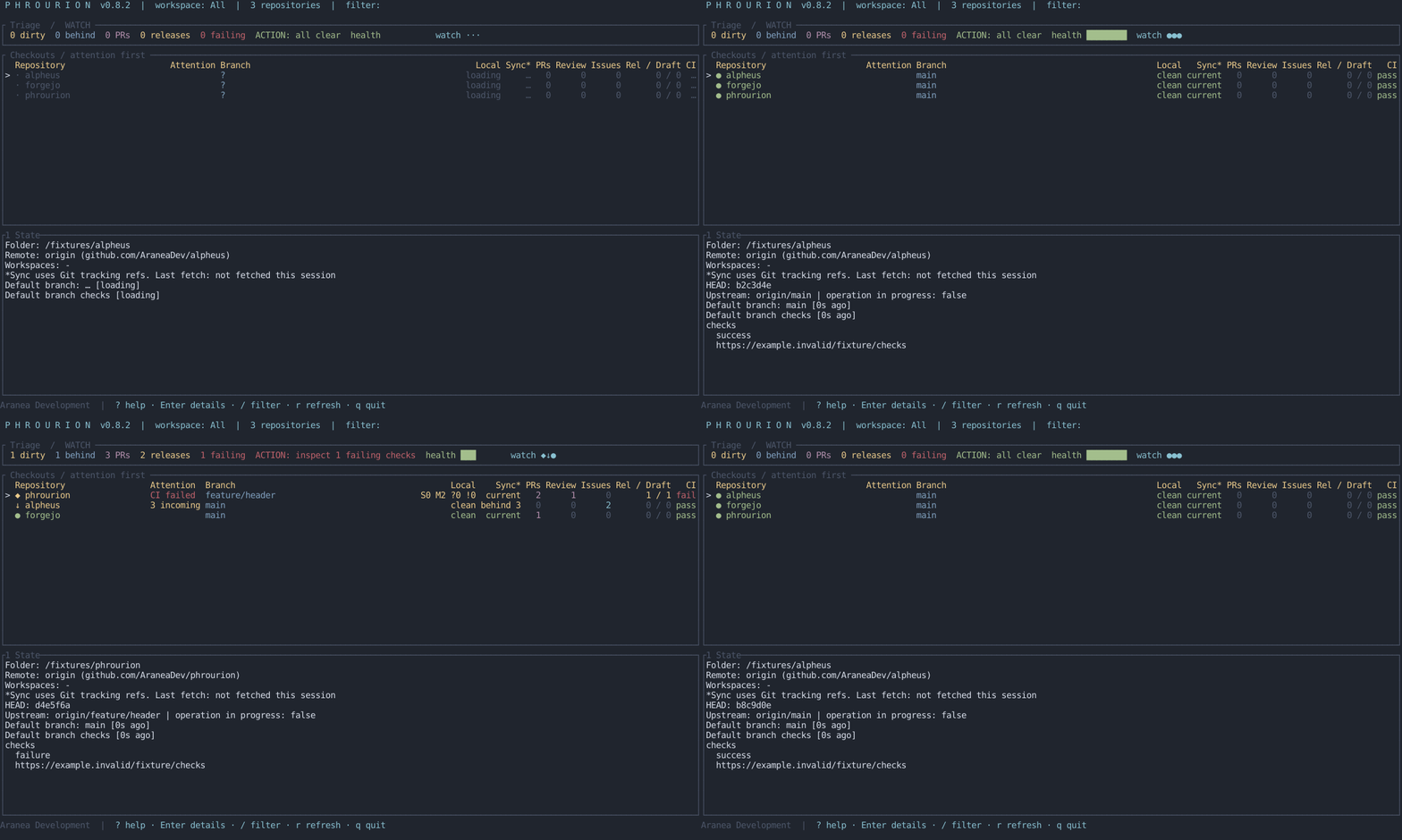
The animation uses deterministic fixture states, generated by the repository's screenshot script.
Getting started
Phrourion is pre-release. Install it with Rust 1.85 or newer and Git available on your system:
cargo install --git https://github.com/AraneaDev/phrourion --locked --bin phro --bin phrourionBoth phro and phrourion are installed in Cargo's bin directory, usually ~/.cargo/bin. Make sure that directory is on your PATH. Discover checkouts below your working directory, then open the dashboard:
phro discover . --add
phro
Press s to configure provider accounts. GitHub can also use an already authenticated gh CLI. Forgejo, GitLab and Bitbucket Cloud use provider tokens. The Accounts modal masks tokens and stores them in the operating system keyring; environment variables support headless setups. See provider authentication for token scopes and self-hosted providers.
Local changes and remote work
For every registered checkout, the dashboard shows its branch, staged and unstaged changes, untracked files, conflicts and Git operations in progress. Provider adapters add branch position, pull requests, issues, workflow checks and release information.
Unknown, unavailable and unsupported data stay distinct from a real zero. A failed query does not become an empty list. Cached observations remain visible with their stale status while a refresh is retried; stale or unavailable observations do not count as confirmed attention signals.
Named workspaces group repositories without moving or duplicating their registrations:
phro workspace create Work
phro workspace add Work phrourion alpheus
phro status --workspace Work
A checkout can belong to several workspaces. Press w to switch; All always remains available.
Actions from the dashboard
Use j/k or the arrow keys to select a repository, Enter for details, / to filter and r to refresh. Press o to open its remote in a browser or t to open a terminal in its directory. The contextual keyboard reference is available through ? or F1.
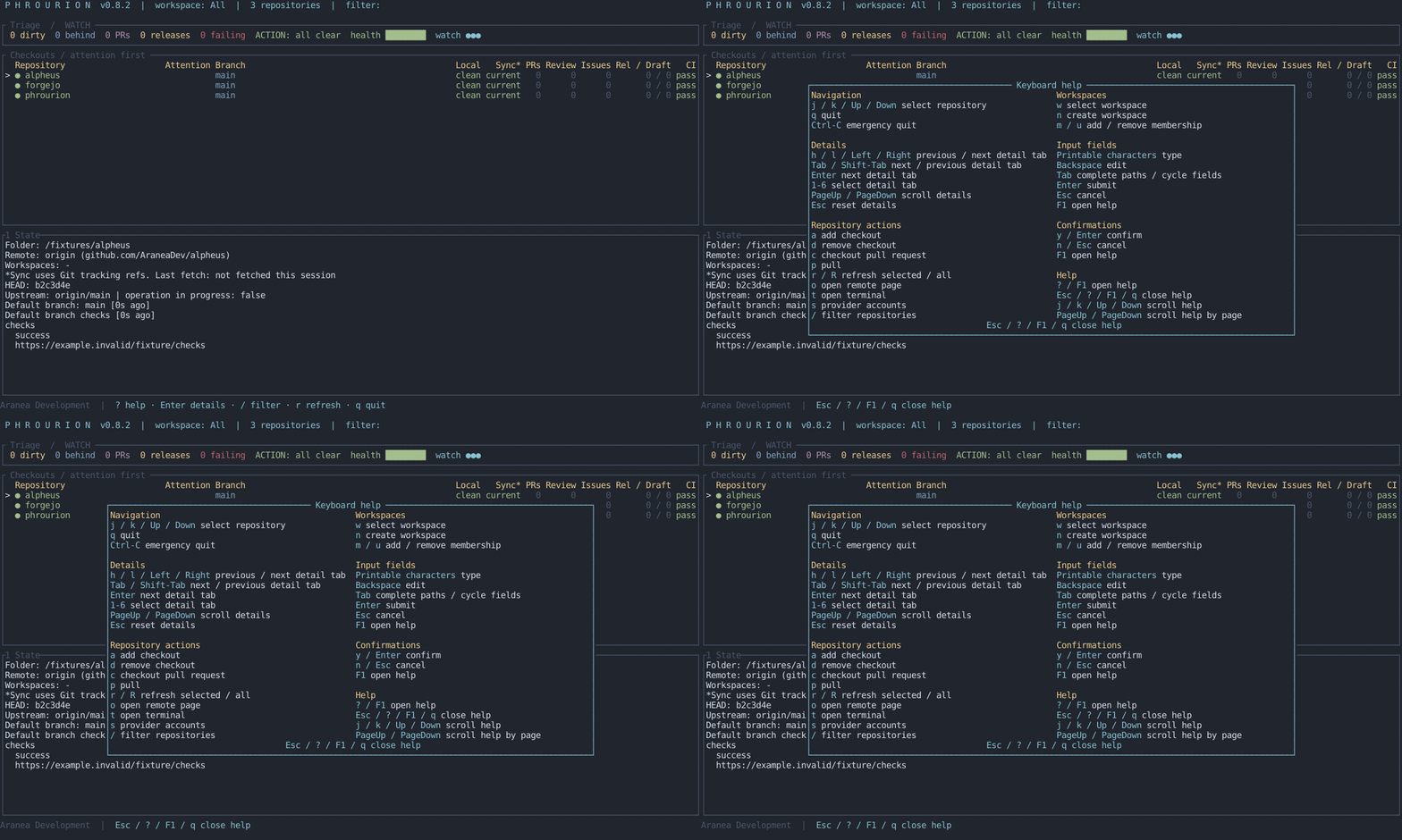
The dashboard observes repositories until you choose an action. A pull asks for confirmation and proceeds only with a clean working tree, an unchanged attached branch, a configured upstream and a fast-forward update. Checking out a pull request fetches GitHub's pull-request ref into a new pr/<number> branch; it requires a clean working tree and an unused local branch name. Phrourion never stashes changes, resets, rebases or resolves conflicts.
While the dashboard runs, a repository newly entering conflict, failed-CI, diverged or pending-release state can raise a desktop notification once for that transition.
Storage and scope
Local observations use Git commands; remote observations query the configured provider. Phrourion is a standalone terminal application and works independently of a coding agent.
The registry lives at $XDG_CONFIG_HOME/phrourion/repos.toml, or the platform configuration directory when XDG is unavailable. It stores checkout paths, remote identities and workspace memberships outside the repositories. Tokens belong in the keyring or environment, not the registry.
See the README for the complete command reference and the design notes for the provider boundary and action safeguards.