
Nekyia
Search local session history across agent clients, then resume a session or start with a handover.
Nekyia (Νέκυια) is the name of the rite described in Book XI of the Odyssey, in which Odysseus questions the dead.
On this pageSearch existing session history

Search existing session history
A previous session may contain the context you need, but finding it can be difficult after weeks of work across directories and clients. Without that history, you may have to describe the problem again and pay for repeated model processing.
Nekyia searches the transcript stores your agent CLIs already keep on disk, ranks matches and launches the client. For clients with tested resume commands, the selected session resumes by ID. Other clients start a fresh session with a handover assembled from indexed prompts, touched files and the branch. The interface explicitly labels this as a handover, not recovered state. Messages remain complete and numbered, so a multiline prompt is preserved as one instruction.
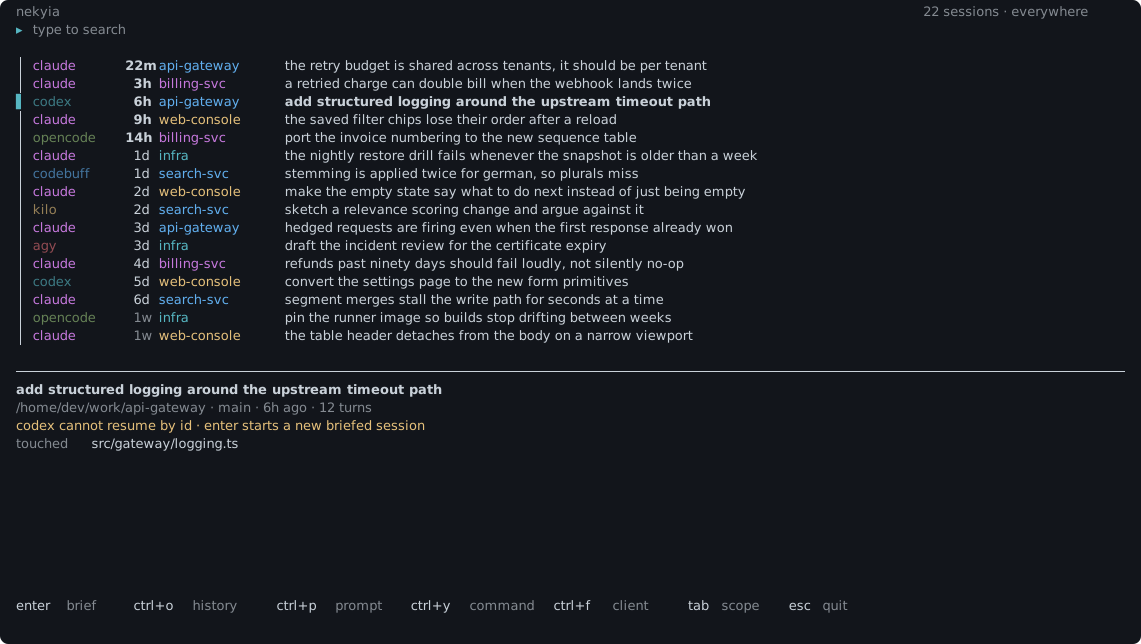
The distinction between a resumed session and a new session with a handover is visible before you continue.
Quick start
Requires Bun 1.1 or newer. Both nekyia and the shorter nek work as command names. These examples use nek.
bun install -g nekyia
nek index
The first run lists the data sources and requests consent before opening a transcript store or creating an index. Use --yes to skip that prompt after reviewing the scope.
Session picker
The picker opens scoped to the current project. From your home directory, a filesystem root or a directory with no indexed sessions below it, the picker opens on the full index instead.
Typing filters results immediately and highlights the matching text in each title.
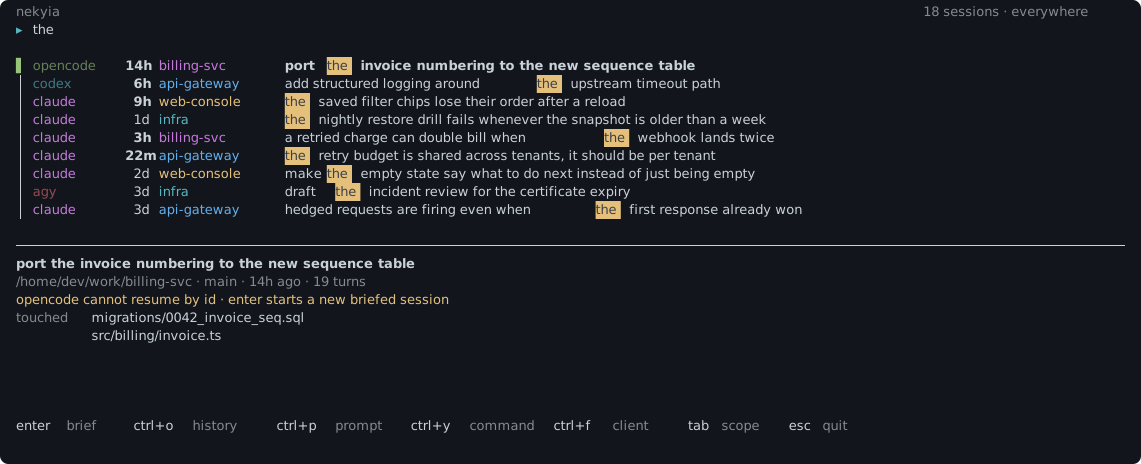
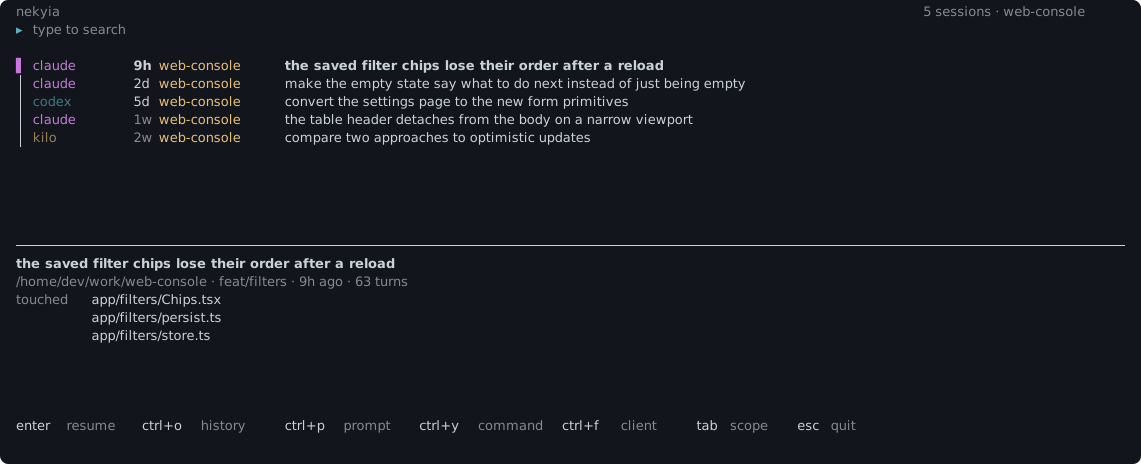
tab expands the scope to all directories. Press it again to scope results to the selected row's project. The count beside the search line identifies the search scope and, for a single project, includes the project name.
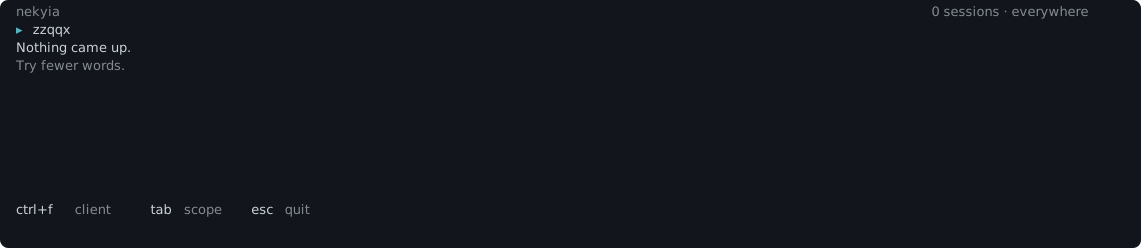
An empty result includes a suggestion for changing the query.
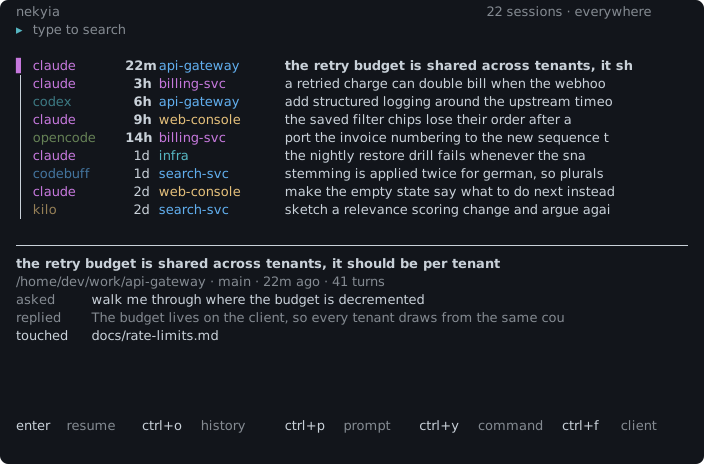
ctrl+f cycles only through clients present in the index. ctrl+p copies the opening prompt; ctrl+y copies the launch command. Multiline prompts are copied in full.
Codebuff and Freebuff share a chat store, so each chat appears once. If both clients are installed, the first Enter on a shared chat opens a client choice. ctrl+l switches the client afterwards. The row indicates which client Enter will launch.
The status line shows the index age: green when fresh, then yellow, then red when the index may no longer reflect the files on disk. Once stale, ctrl+r appears among the shortcuts. Reindexing closes the picker, runs visibly in the terminal and reopens the picker with the updated results. Set autoReindexAfterHours to refresh automatically after a specified age, or 0 to refresh on every open. This setting is unset by default, so automatic reindexing is disabled.
Inspect a session before resuming
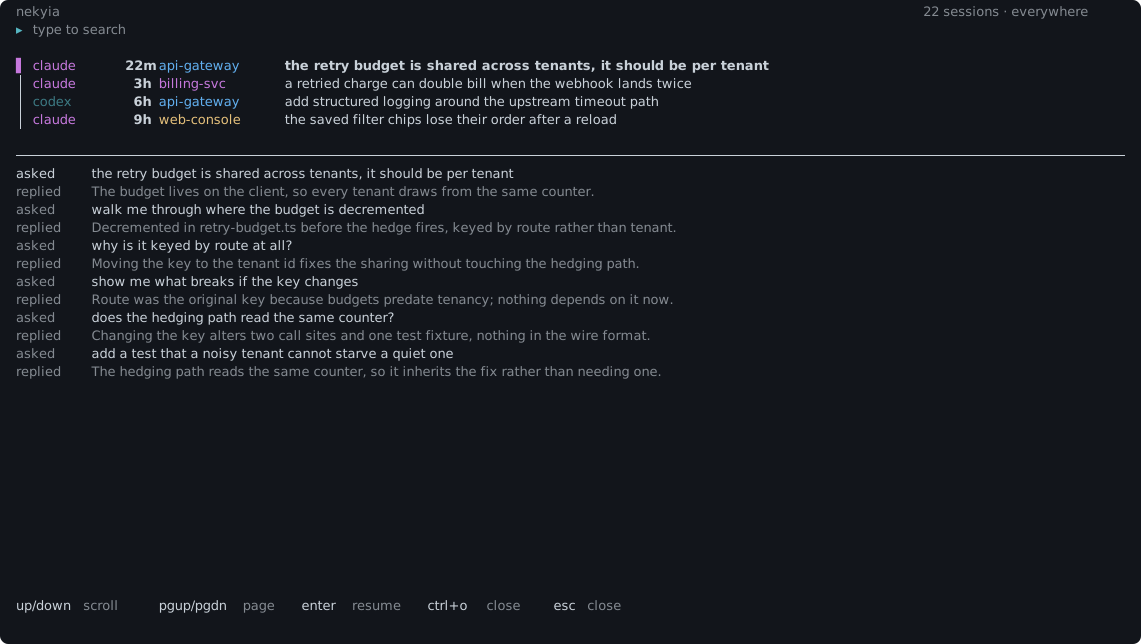
ctrl+o opens the selected session in a full-screen view with prompts, replies and touched files in conversation order. Long replies wrap within the screen. Arrow keys scroll one line, page up and page down scroll one screen, and esc closes the view.
The picker adapts to the terminal width, keeping the same interface in narrower windows.
Command-line use
This output was produced on this machine and is abridged with '…'.
Installed clients and index status:
$ nek doctor
clients
  agy          155 sessions  (built-in)
  claude       197 sessions  (built-in)
  codebuff      65 sessions  (built-in)  [partial]
  codex         19 sessions  (built-in)
  copilot        0 sessions  (built-in)
  cursor         1 sessions  (built-in)
  goose          not installed  (built-in)
  kilo           1 sessions  (built-in)
  opencode       5 sessions  (built-in)

index
  441 sessions, 21 size-capped, 0 partly unreadable, 0 missing from disk
  size-capped: claude:1bb60c1e-2883-442b-8012-c6ff3cd73488
  …
Ten clients share one index. Six support resume by ID; the other four start with a handover. doctor reports which mode is available. Codebuff and Freebuff share one row because they use the same store. Size-capped sessions are counted separately from unreadable sessions: raising the cap and reindexing can recover size-capped sessions.
Search without the picker:
$ nek search reconnect race
$ nek search reconnect --json      # machine-readable, with the transcript paths
$ nek search reconnect --ids       # just the ids, one per line, for show and forget
$ nek blame src/sse.ts             # sessions that touched this exact file
$ nek timeline --dir .             # every file operation recorded under a directory
$ nek last                         # newest session under this directory
$ nek show <uid>                   # the handover, as Markdown, before you send it
--ids prints only session identifiers for use with other commands. For example, nek search "sse reconnect" --ids | head -1 | xargs nek show produces a handover for the first result without parsing JSON to extract an ID.
Search is scoped to the current directory by default. --all expands the scope, --client <id> limits it to one client, and --file <path> finds sessions that touched a file. blame instead resolves the path from the current directory and searches everywhere, newest first. "Touched" means the path appeared in indexed tool input, not necessarily that the file changed. With --json, each row includes transcript paths so an agent can read the original rather than rely on the indexed summary.
File-operation history
blame lists sessions for one file. timeline lists recorded operations under a directory, grouped by session.
$ nek timeline --dir . --since 7d --limit 2

/home/dev/work/api-gateway · 2 sessions · 12 events · git was not consulted
exact order inside a session, end-time order between them

*  claude      23m  api-gateway       the retry budget is shared across tenants, it should be per tenant
      2  read    src/gateway/retry-budget.ts
      3  edit    src/gateway/retry-budget.ts
      8  read    src/gateway/tenant.ts
      9  edit    src/gateway/tenant.ts
     14  read    test/retry-budget.test.ts
     15  write   test/retry-budget.test.ts

o  codex        6h  api-gateway       add structured logging around the upstream timeout path
      2  read    src/gateway/logging.ts
      3  edit    src/gateway/logging.ts
The number before each operation is the turn in which it occurred, linking the entry to the session history.
Within a session, operation order is exact. Between sessions, the index contains only end times, so operations remain grouped rather than merged into a falsely precise chronology. In a git repository, paths outside git tracking are marked untracked. If git cannot be queried, the header states that explicitly so a missing marker does not imply tracking. Review both tracked and untracked paths: a tracked path does not guarantee that git contains the latest edits. Sessions launched elsewhere that refer to these files by relative paths are not found here; blame has the same limitation.
File operations are recorded when a session is next read into the index. Sessions indexed before this feature list files without operations. A normal nek index does not backfill unchanged transcripts, because only changed transcripts are reread. Use nek index --rebuild to populate those records. The output identifies sessions without operation records rather than implying that no operations occurred.
Indexing
Indexing has two phases. Discovery reads bounded metadata and a stable fingerprint per session. Hydration runs only for changed sessions and commits metadata and search facets atomically to SQLite. FTS5 search applies different weights to titles, user prompts and selected assistant prose, then balances relevance against a recency half-life. Fork chains collapse into one row.
Tool output is excluded from the index. Command results and file dumps are large, noisy and likely to contain private material; they are not the text used to search for a session.
Configuration and local data
The index is stored at ~/.local/share/nekyia/index.db and configuration at ~/.config/nekyia/config.json. Both respect XDG_DATA_HOME and XDG_CONFIG_HOME.
There is no network service, API key or telemetry. Handovers are deterministic and require no model call. The index stores a copy of text already on disk, and that copy remains after the source transcript is deleted. These commands control retained data:
nek forget <uid>              # one session, and every facet of it
nek prune --missing           # sessions whose source files are gone
nek exclude '/work/private'   # then: nek index
An exclusion applies to a directory and all descendants. Relative paths resolve from the directory where the command runs. The next nek index removes existing indexed data within that scope, including sessions whose source transcripts have already been deleted.
exclude and hiddenClients constrain indexing. Their fallback values are permissive, so ignoring an unreadable configuration could expand the data retained. Indexing therefore stops before writing if exclusions cannot be applied, and reports the configuration file. Search remains available but warns on stderr that configuration was not applied, preserving access to existing history.
The index is not encrypted, and there is no guarantee of secret redaction. Review output from show, doctor and --json before sharing it publicly.
Additional clients can be configured through local manifests at ~/.config/nekyia/clients/*.json. nek doctor --sniff inspects likely transcript stores and creates a draft manifest rather than assuming a path.